Hookshot Builder: Complete Download and Installation Guide
A clear, independent guide to Hookshot Builder. Find the official download, set up Windows or Linux, and build from your own game files — one step at a time.
01 / Start here
A native build. A different approach.
Hookshot is NotRexed’s unofficial fan project for running the Nintendo Switch 2 version of The Legend of Zelda: Ocarina of Time natively on Windows and Linux. Builder translates and compiles your own game locally, while a host layer and Vulkan renderer provide the system and graphics support. It uses static recompilation.
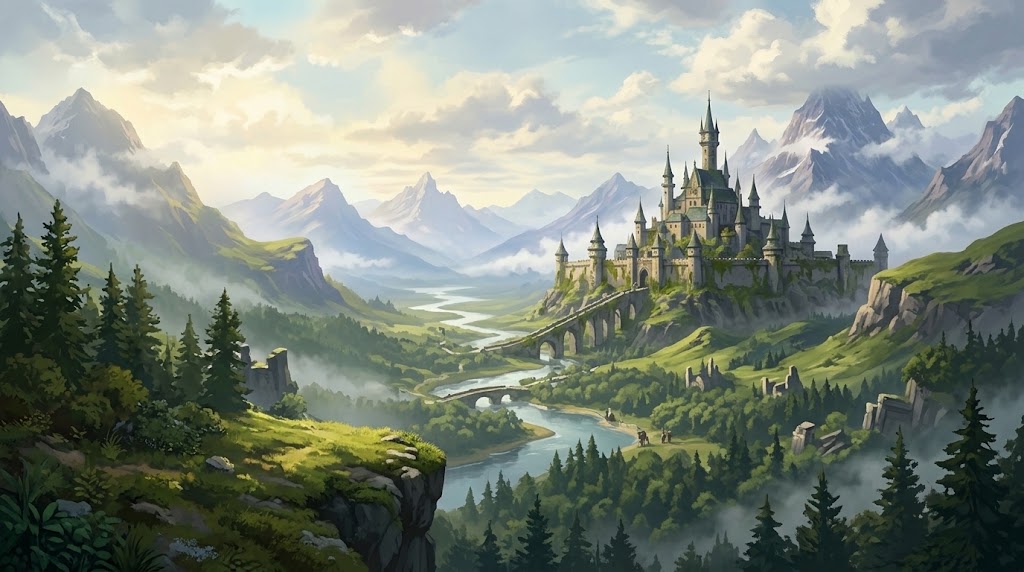

Original tutorial illustration · AI-assisted
From your files to a local buildSourceLicense and attributionText description
- Your game files: .nup / romfs + exefs
- Hookshot Builder: ARM64 → C → Windows / Linux
- Your native build: Windows / Linux · Vulkan · Play
02 / Download
One starting point. Two platforms.
Get the original Builder from NotRexed, then follow the guide for your operating system.
Windows
Windows 10 / 11 · 64-bit
HookshotBuilder.exeLinux
x86-64 · glibc 2.35+
Hookshot-v2.0.5-x86_64.AppImageHookshot is developed by NotRexed. Download the original software from the official GitHub Releases page.
03 / Tutorials
From download to your first launch.
Follow the path in order, or pick up where you left off. Your game files stay on your computer.
04 / How to use
Make sense of the settings.
Frame generation
Extra interpolated frames, currently 2x–8x. Expect possible motion artifacts and added input delay.
Upscaling & resolution
Choose resolution, Catmull-Rom or Lanczos upscaling, and sharpness in the Graphics tab.
Frame pacing & FPS
Even out frame delivery and display both the output rate and the game’s own rate.
Keyboard & controller
Use WASD and the arrow keys, or a controller. Open the menu with Insert or F1.
05 / Troubleshooting
A bump in the road? Start here.
Check the basics before rebuilding. These checks follow the project’s documentation, and are not guaranteed fixes for every machine.
Builder won’t open
Check the download and operating system.
Build failed
Check available space and the build output.
Unsupported version
Match all three game identifiers.
Crash or black screen
Check drivers and the runtime log.
First-visit stutter
Understand shader preparation.
Vulkan errors
Confirm Vulkan 1.3 and mesh shaders.
01Is this the official Hookshot website?
+
No. This is an independent tutorial website. NotRexed develops and maintains Hookshot; we do not represent the project or Nintendo.
02Does Builder include the game?
+
No. You need your own legally obtained copy at the exact supported version. This site provides no game files, keys or instructions for bypassing protection.
03Is Hookshot a traditional emulator?
+
The project uses static recompilation: game code is translated to C and compiled into a native program on your computer. It also implements the required system and graphics behavior.
04Do I need Visual Studio on Windows?
+
The current official Builder includes its compiler and tools. Older guides describing a ZIP and a mandatory Visual Studio installation are not the current normal install path.
05Will it work on every graphics card?
+
No. Vulkan 1.3 and mesh shaders are required. NVIDIA is the most tested; AMD has reports and known problems, and Intel evidence is limited.
06Can I share the game I built?
+
No. Keep game-derived executables, generated code, caches and saves on your own computer, as the project’s contribution guide requires.
07 / The guidebook
The essentials, all in one place.
Hookshot Builder Download: Official Windows & Linux Files
Find the official Hookshot Builder download, identify the Windows EXE and Linux AppImage, and avoid outdated ZIP instructions or unofficial mirrors.
02Install Hookshot Builder on Windows 10 & 11
Install the current Windows Hookshot Builder EXE, select your own game, build locally, and open the launcher. Includes old ZIP and tools-folder guidance.
03Install Hookshot Builder on Linux with the AppImage
Set up the official Hookshot Linux AppImage on x86-64, add executable permission, choose your game files, build and launch with the bundled tools.
04How to Use Hookshot Builder: Files, Build & Play
Learn the Hookshot Builder workflow, from selecting your own supported game files to language, output folder, native compilation and the game launcher.
05Build the Game with Hookshot Builder: A Local Build Guide
Prepare a Hookshot game build, choose valid inputs and output, understand the compilation stages, and find the launcher and diagnostic logs.
06Hookshot System Requirements: CPU, Vulkan, RAM & Storage
Check Hookshot’s Windows and Linux requirements: AVX2, Vulkan 1.3, mesh shaders, graphics drivers, recommended RAM, VRAM and build space.
07Hookshot Supported Game Version: Program, Update & Build
Check the exact Hookshot-supported game Program ID, update and build. Understand version errors and why a matching game title alone is not enough.
08Hookshot Game Files: .nup, romfs & exefs Explained
Understand the Hookshot Builder input choices, the roles of romfs and exefs, output folders, backups and which game-derived files must stay private.
09Hookshot Builder Troubleshooting: Build, Launch & Vulkan Errors
Diagnose Hookshot Builder not opening, failed builds, unsupported versions, black screens, Vulkan errors and first-visit shader stutter using official guidance.
10Hookshot Builder FAQ: Downloads, Game Files & Compatibility
Answers to common Hookshot Builder questions about official downloads, Windows and Linux, required game files, GPU support, saves, updates and project status.
11How Hookshot Works: Static Recompilation & Vulkan
Understand Hookshot’s ARM64-to-C static recompilation, host system layer, Vulkan renderer and why Builder creates a native game locally from your files.